News admin section
This section list the news section and its usage in the site.
View existing Articles
The news articles are shown in the sidebar of the Blog, only the latest created articles are shown.
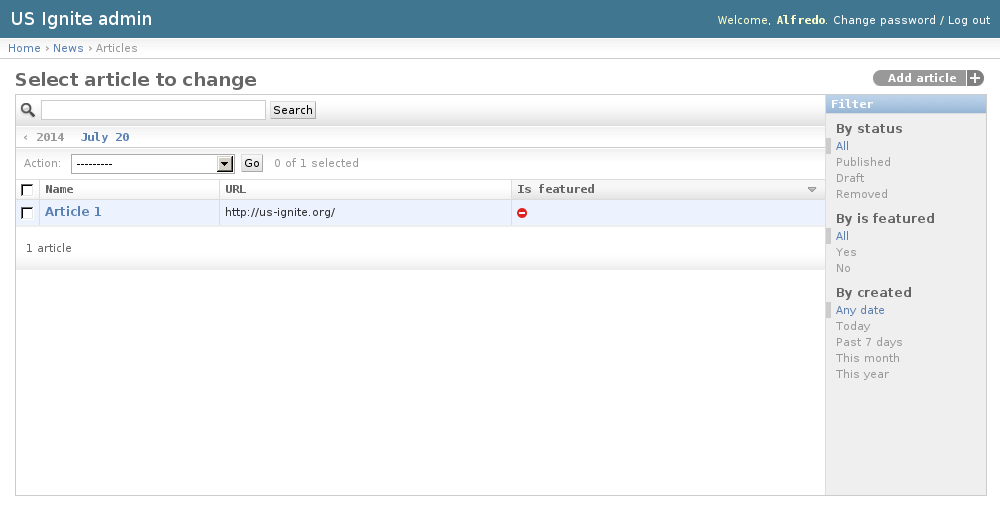
The existing Articles are listed in the /admin/news/article/ URL. From this section the details of these Articles can be inspected.
And the following actions can be performed:
- View the details of the Articles.
- Filter the Articles by: status, is featured? or creation date.
- Search the Articles by their contents.
Adding Articles
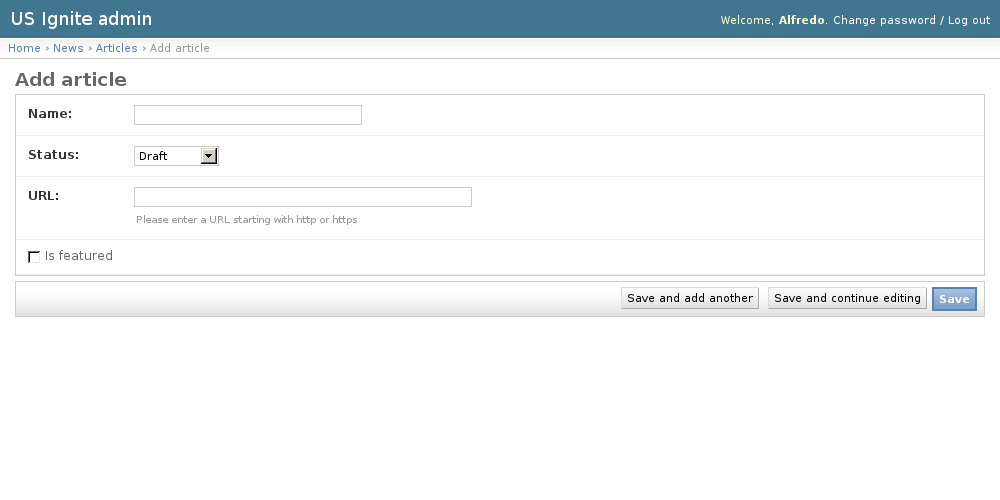
Adding Articles can be done from the /admin/news/article/add/ URL.
The following fields are available to create Articles:
- Name: Required. Text used for the link.
- Status: Required. Publication status of the article.
- URL: Required. Fully qualified URL to link the article.
- Is featured: Optional. Determines if the article is featured.
Unpublishing / Removing Articles
In case Articles needs unpublishing it can be done from the detail admin view by changing the status of the Articles to draft or removed
Note
The Articles can be browsed in the /admin/news/article/ URL.